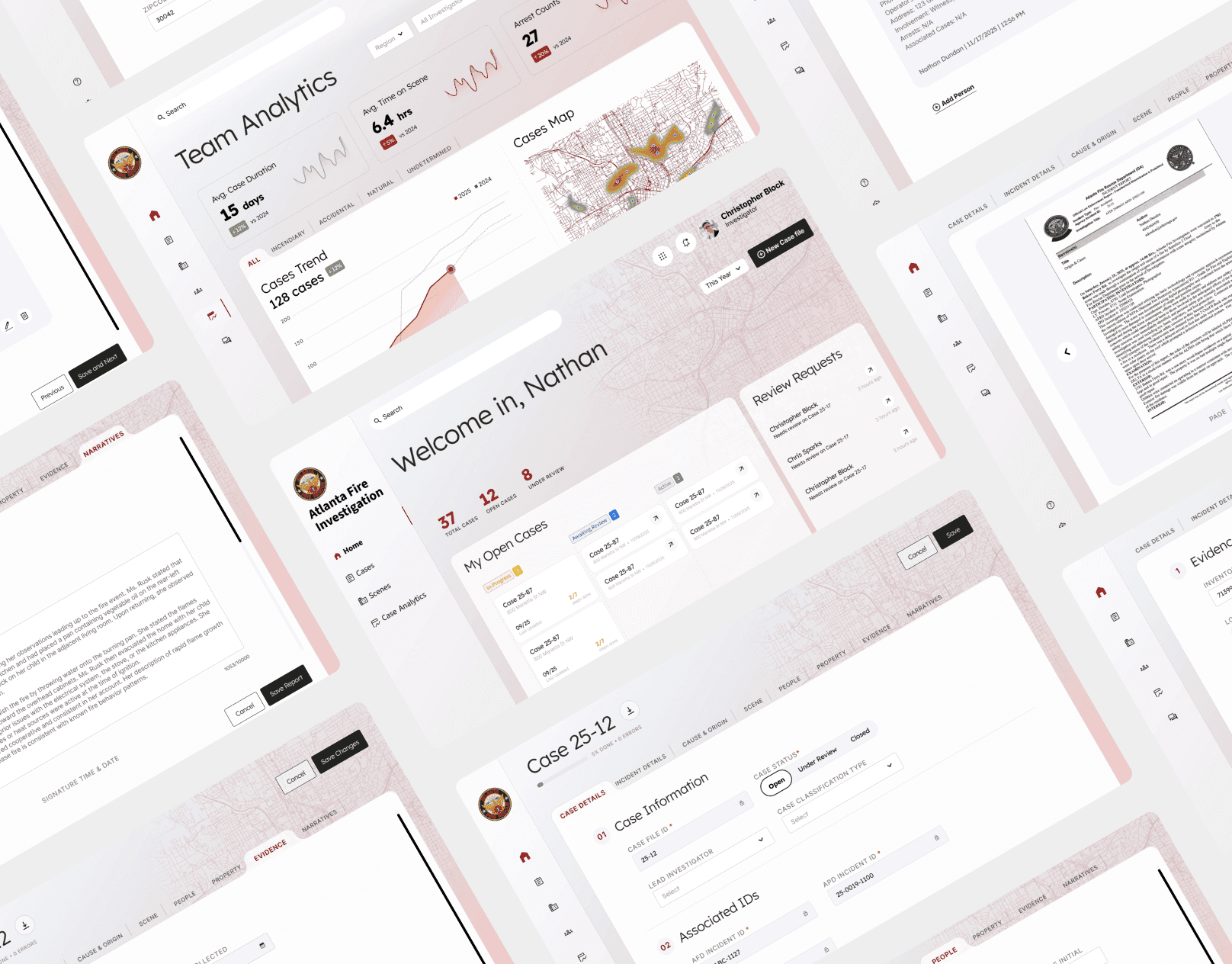
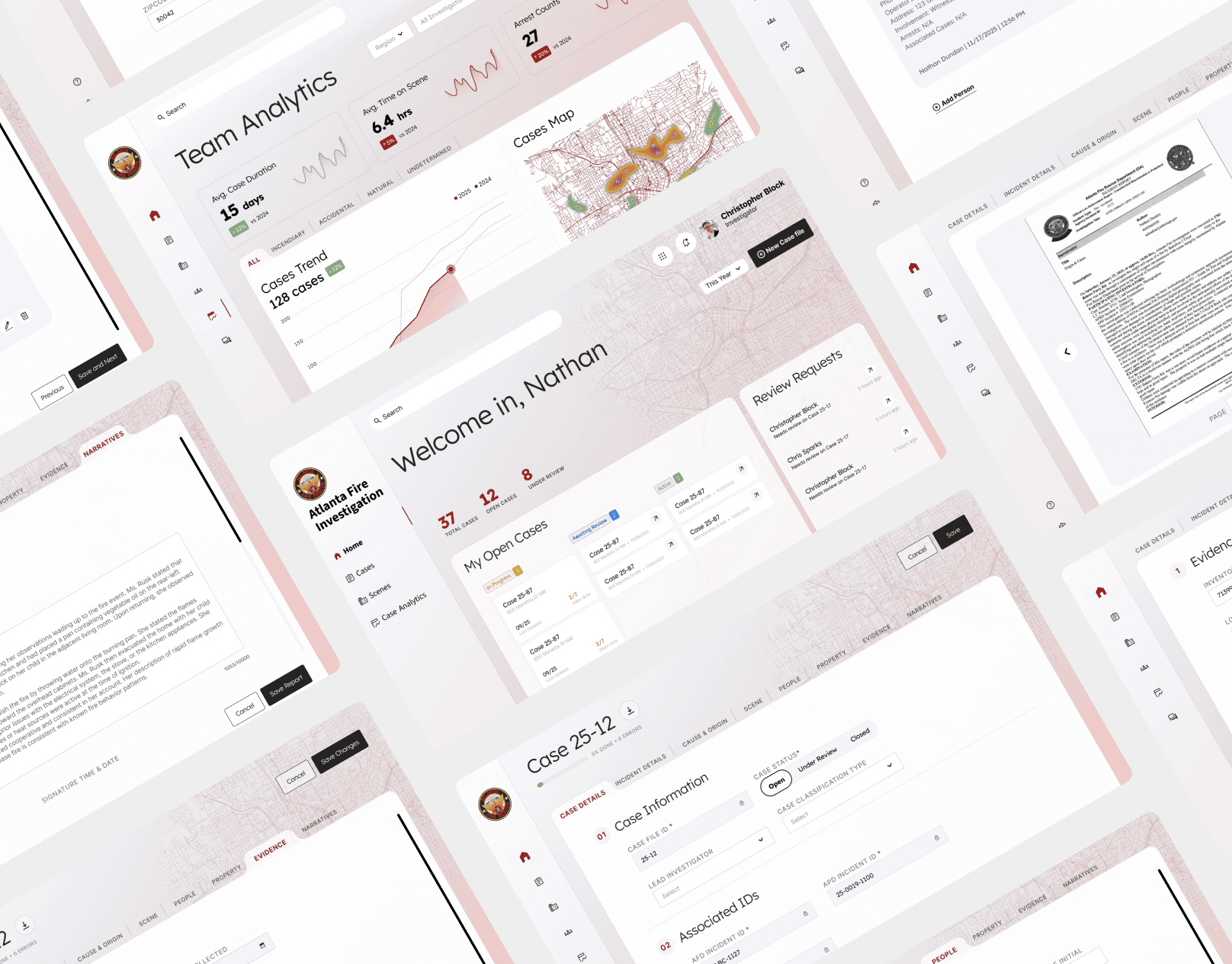
Atlanta Fire Investigation Case Management System
A centralized platform that stores, tracks, and manages cases information, helping the unit streamline complex processes, improve efficiency, and stay on top of tasks for cases completion.
Timeline
Aug. - Dec. 2025
Team
Vanshika Kumar
Chase Franklin
Kelsey Harmon
Role
Led comprehensive user research and UX design on creating case entry and management system for arson investigators
Tools
Figma, Google AI Studio, MazeTest
Helping arson investigators create, manage, and report cases through centralized platform.
Industry Sponsored
UX Design
UX Research
As part of the core courses at Georgia Tech's MS-HCI, we partnered with Atlanta Fire Investigation Unit, a law enforcement unit for the city of Atlanta under the Atlanta Fire-Rescue Department, that works around the clock to conduct fire origin and cause examinations for the fire service and law enforcement.
Problem Overview
Siloed systems force arson investigators to waste time on redundant data entry.
01
Problem
Investigators must manually enter the same case data into multiple, disconnected systems to satisfy different compliance and reporting requirements.
02
Current Workaround
To bridge these gaps, the unit currently uses a static Excel file. They must toggle between this sheet and other platforms to retrieve and update information.
03
Limitation
Repetitive data entry increases risk of human error. Additionally, the lack of automated export features creates a bottleneck and delay for the City of Atlanta's analytics team.
How might we create an intuitive database system for the arson investigation team to enable real-time data entry, tracking, and reporting?
THE Solution
A centralized hub for case entry, tracking, and reporting
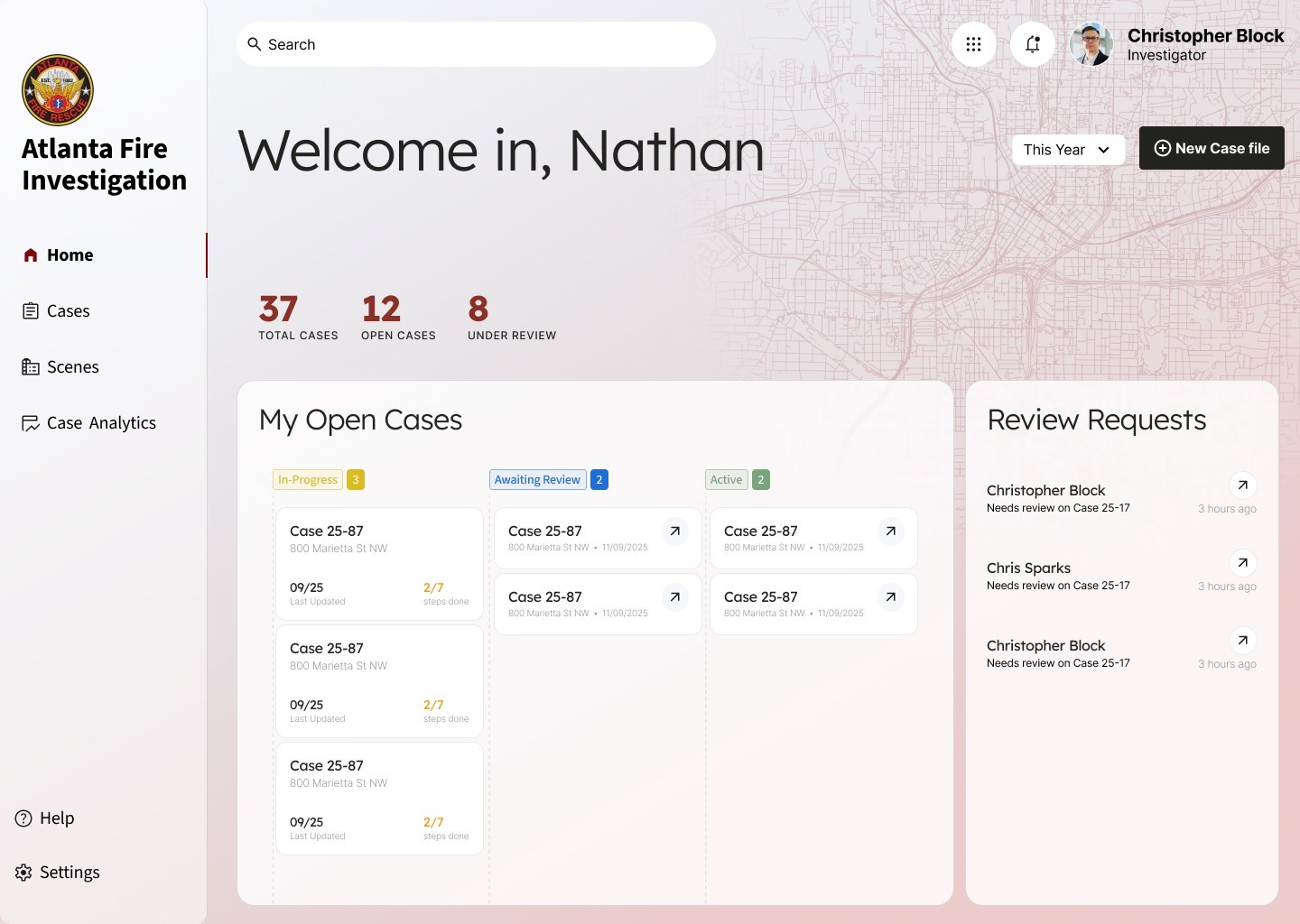
Ongoing Tasks At A Glance
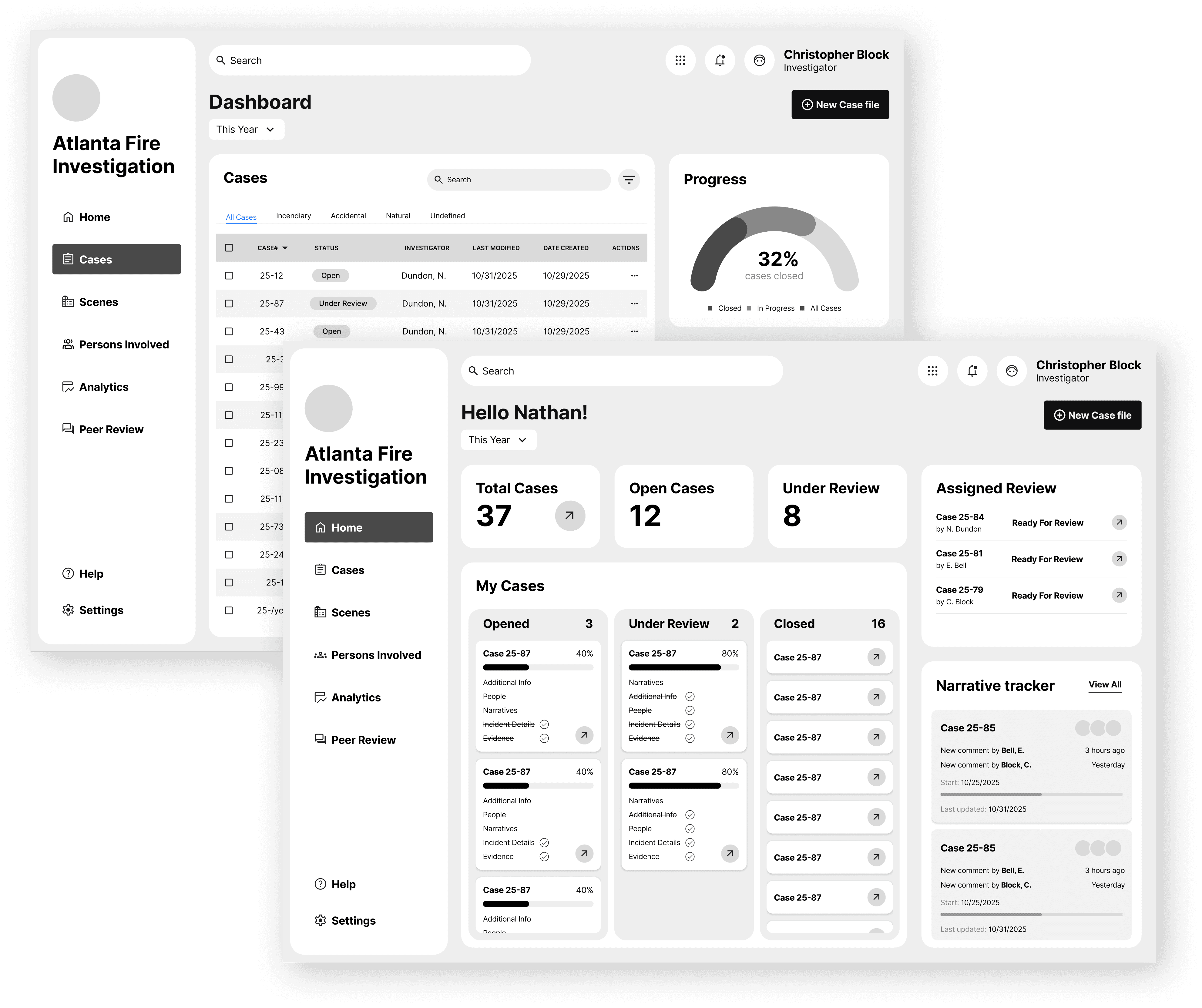
Allows investigator to keep track of ongoing cases he/she leads, cases narrative that needs to review for peers, create new case file, and several cases metrics that filter by year, month, and quarter.
Optimized Data Entry Flow
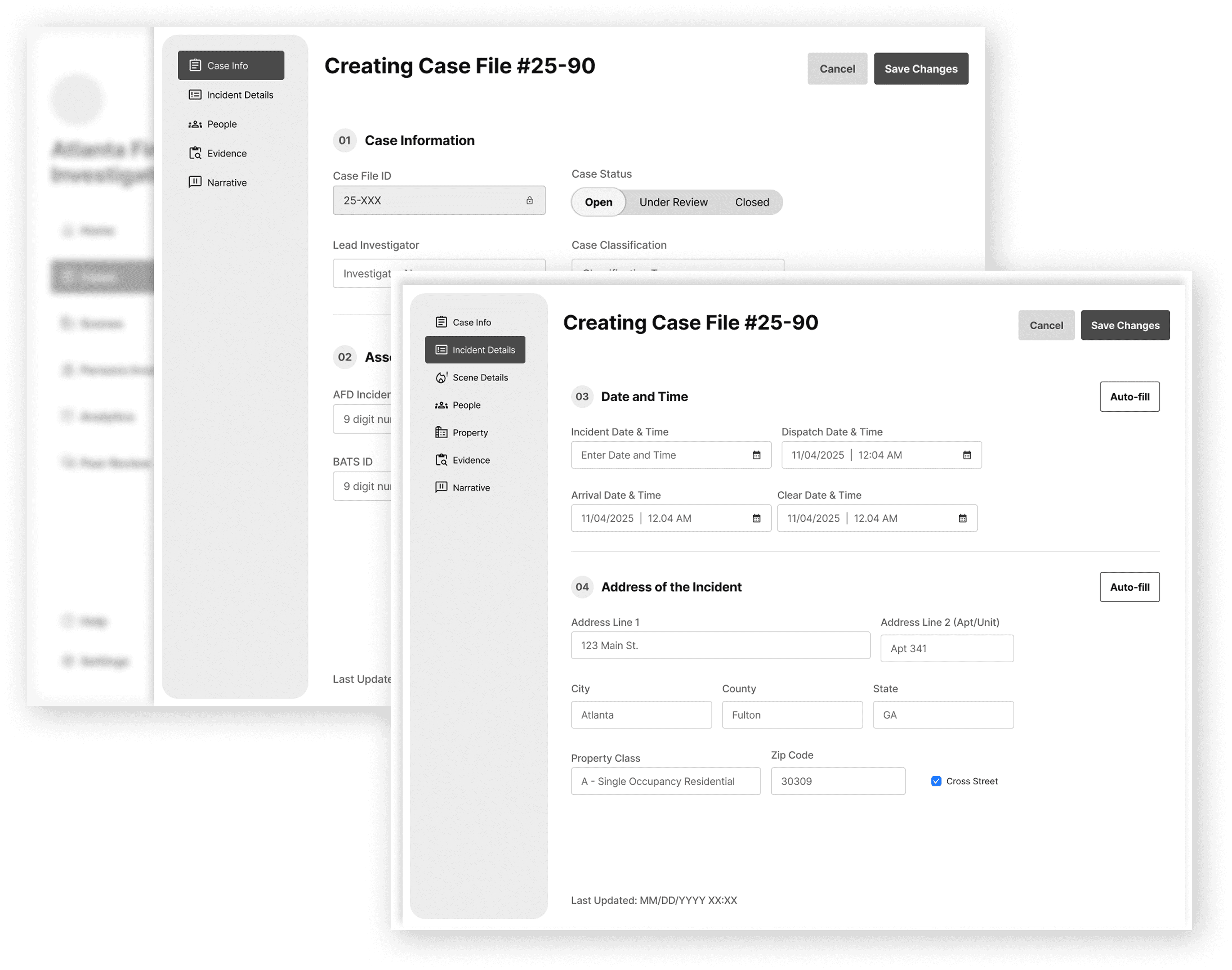
Data entry flow is aligned with investigators' mental models by tabbing categories to minimize cognitive load and structure intuitive workflow. Auto-population of data from external databases and data validation ultimately minimize input errors.
Introducing Analytics For Trends & Case Forecast
Data visualization ensures investigators can quickly track important metrics like
cases trend data, involved factor, and battalion-wise case statistics to analyze patterns and inform prevention strategies.
PROJECT TIMELINE
In this 4-month project, here are the
things I led
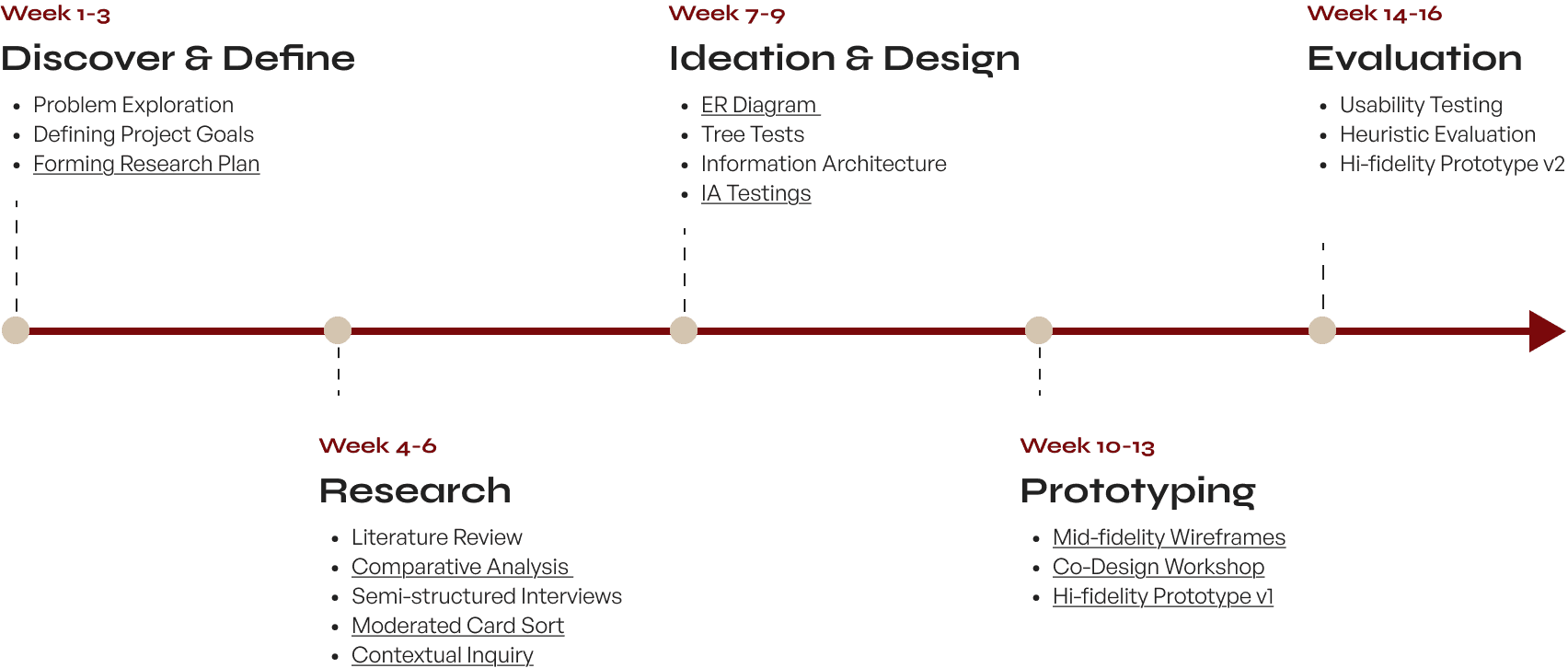
Research Methods
A mixed-method approach to uncovering high-stakes workflows.
Because our user base involves a specialized law enforcement unit, we focused on qualitative depth over quantitative breadth. We engaged 50% of the entire unit (7 out of 14 investigators) to determine pain points across their workflow. This mixed-method approach allowed us to uncover the root cause of data fragmentation.

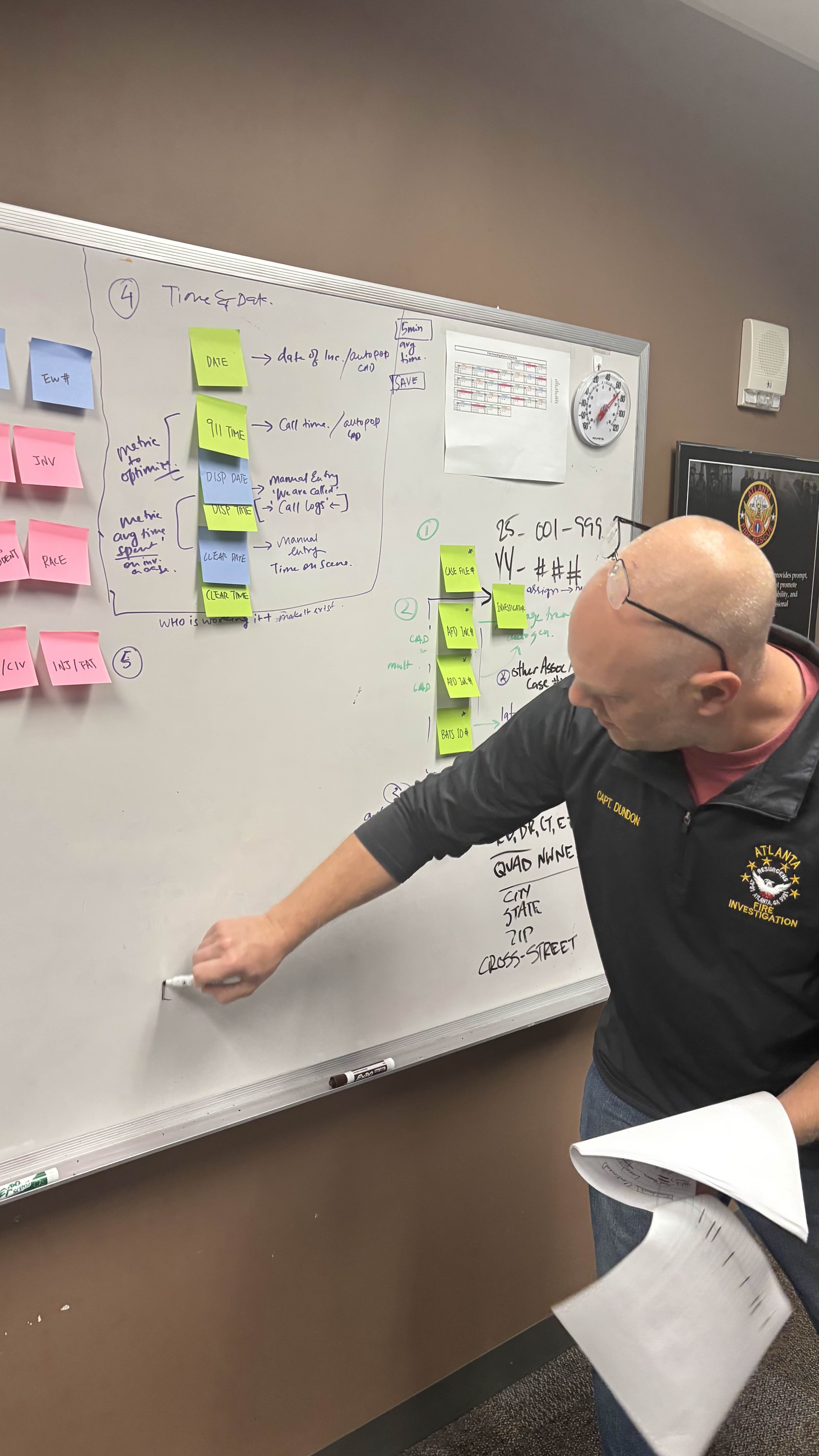
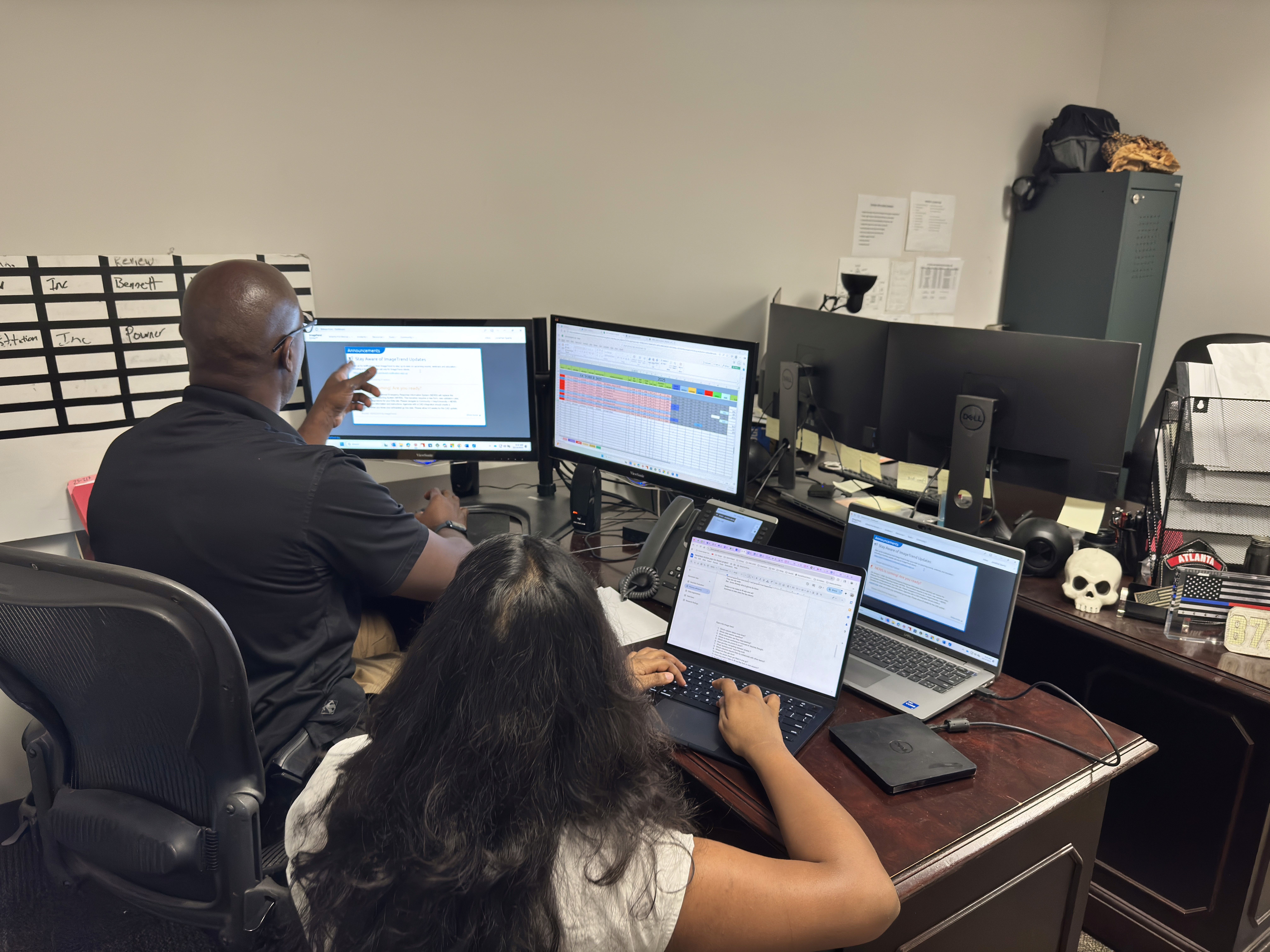
Comparative Analysis
FreshDesk, HubSpot, Atera, etc.
Analyzed industry-standard CRM and ticketing platforms to identify interaction patterns for complex data entry that could be adapted for the fire investigation unit.
Semi-structured Interview
4 interviews
Conducted 1:1 deep dives to map the end-to-end journey of a case file and identify emotional frustration points during data handoffs.
Card Sorting
7/14 responses
Asked investigators to group data points naturally. This revealed a mismatch between their mental models of a case and the current structure.
Contextual Inquiry
2 participants
Shadowed investigators during their shift to observe environmental constraints, interruptions, and limitations that don't show up in interviews.
SYNTHESIS
Synthesizing the investigator experience
We used affinity mapping to analyze our interview transcripts, clustering hundreds of data points to define the behavioral profile of our core user.
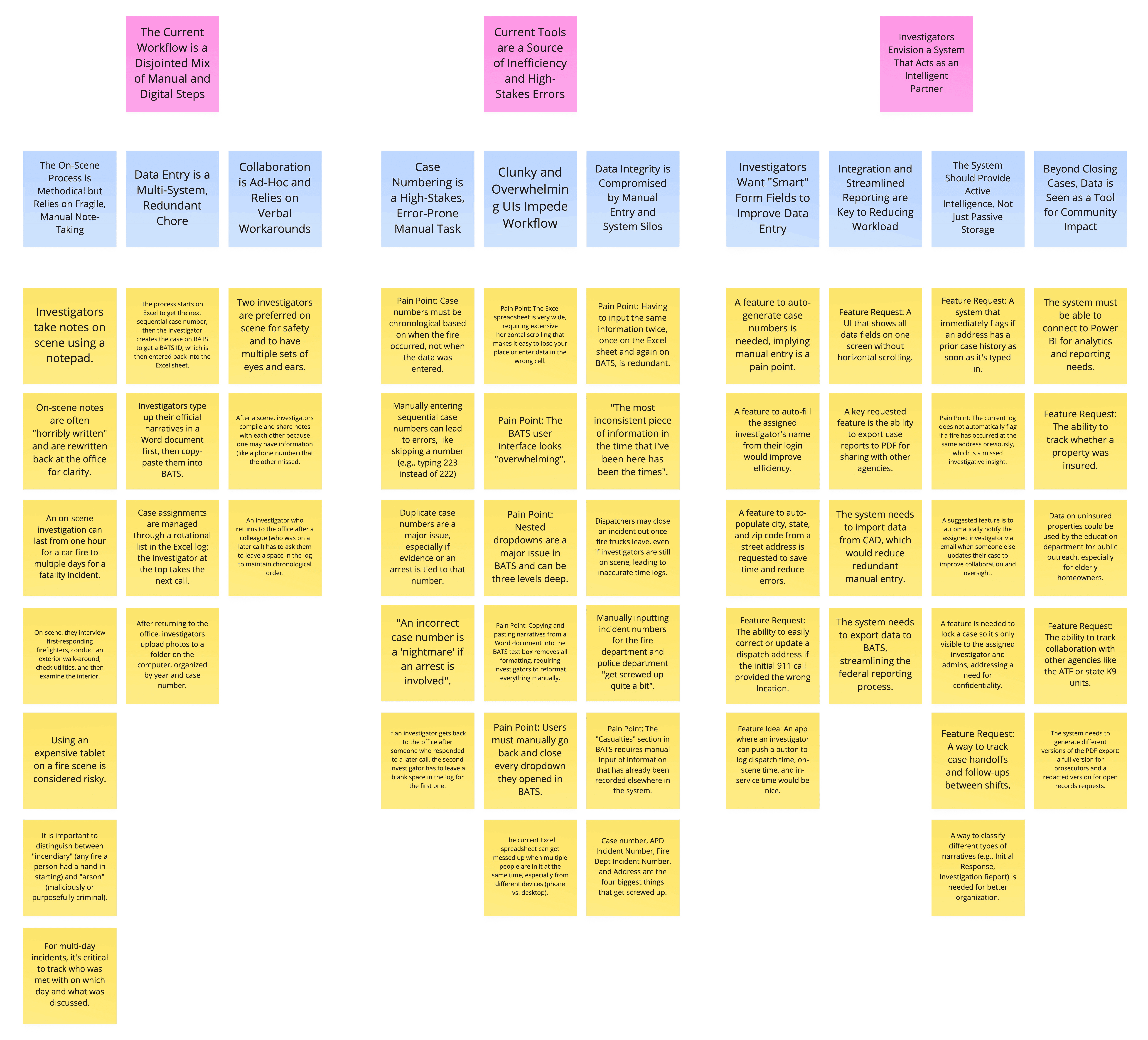
Clustering interview themes to identify frustrations and motivations.
The Arson Investigator Profile
Constrained by Environment
Fieldwork is dirty and dangerous. Investigators noted that using an expensive tablet on a fire scene is considered risky, forcing them to rely on paper note taking.
High Anxiety Around Accuracy
Users described an incorrect case number as a nightmare if an arrest is involved, creating a constant fear of manual entry errors.
Seeking an "Intelligent Partner"
The strongest requests were for automation: auto-populating addresses from CAD, auto-generating case numbers, and flagging repeat incidents
Research Findings
Current tools force investigators to serve the database, not the case.
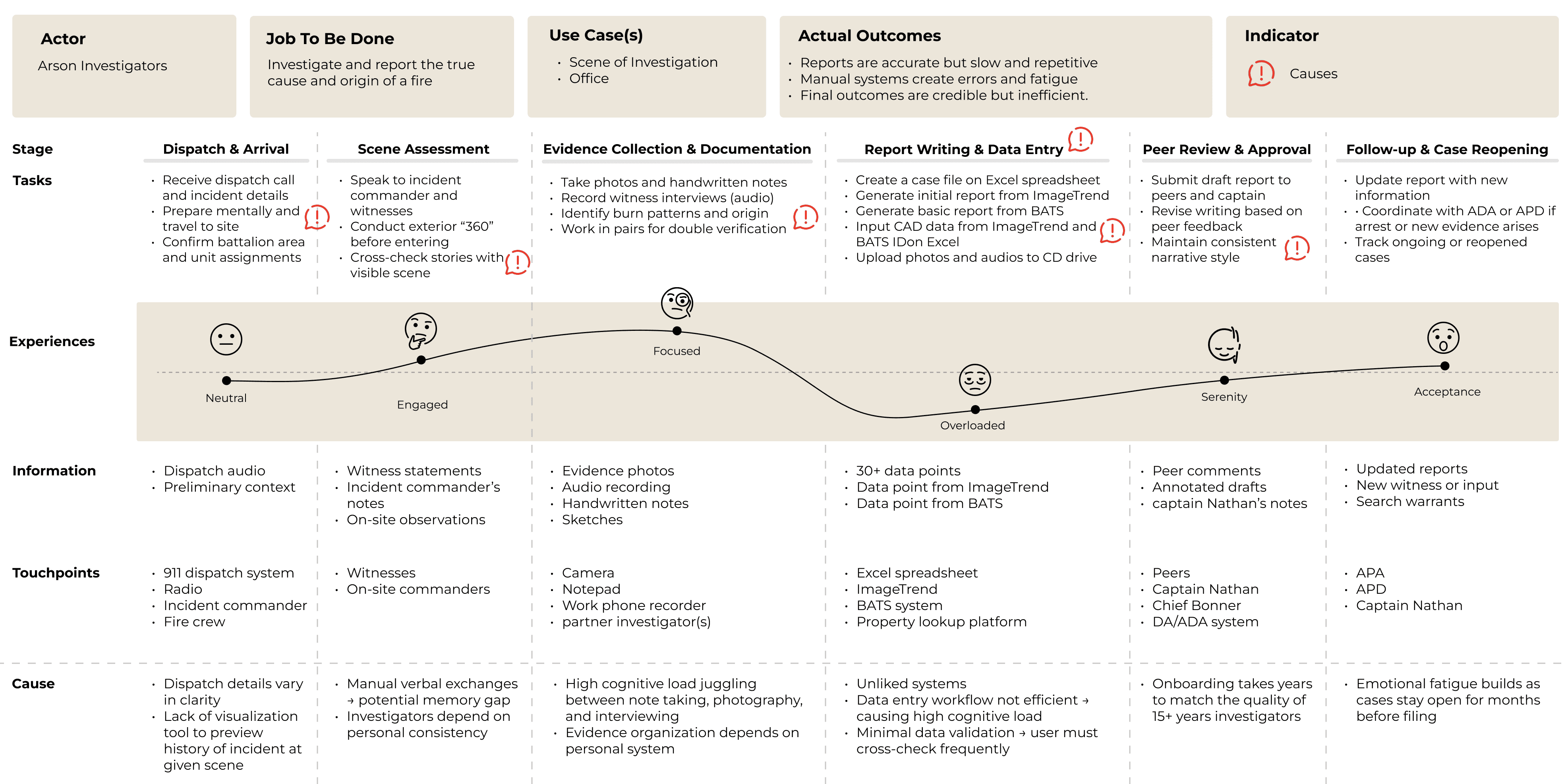
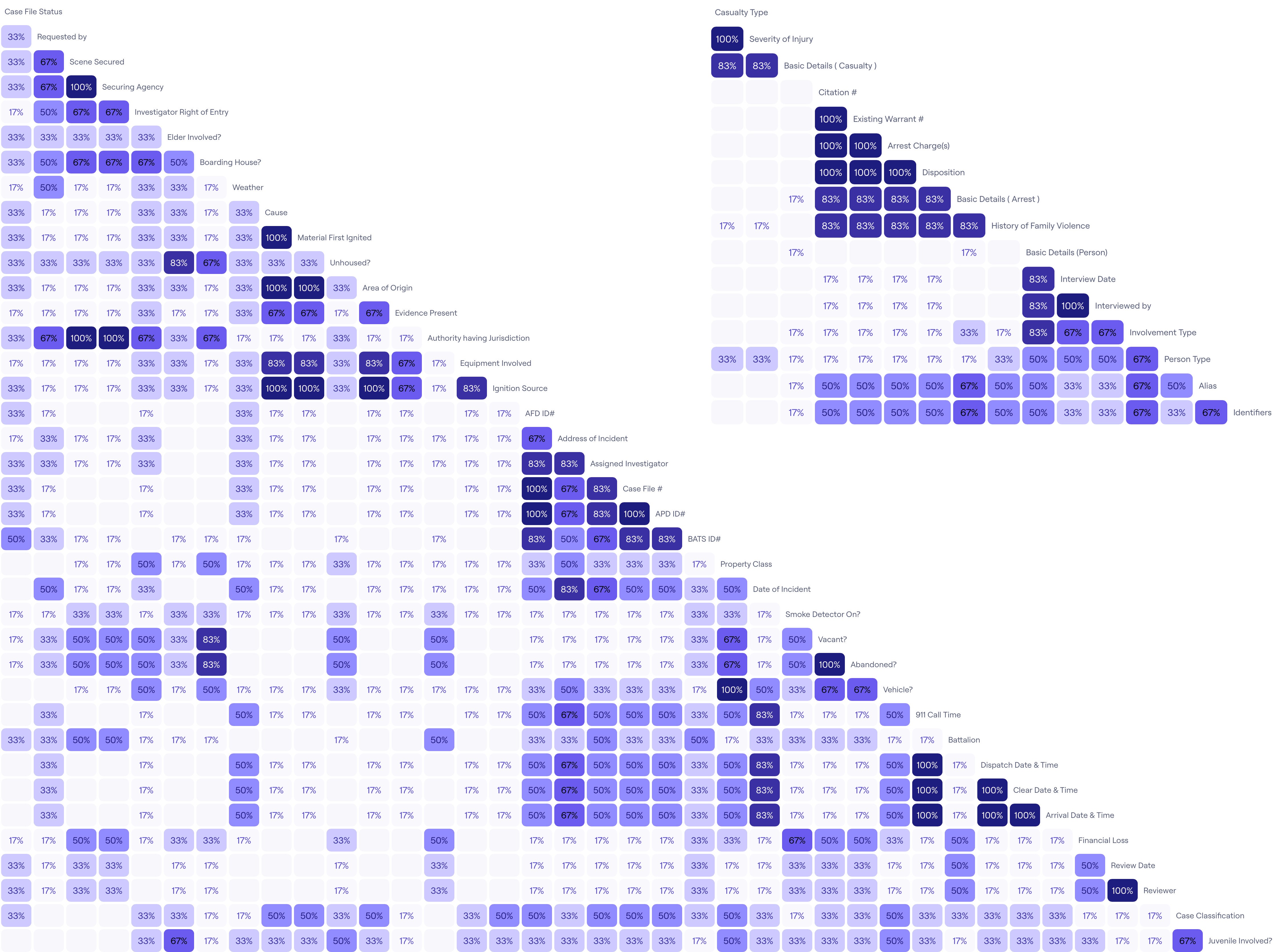
Our synthesis revealed that primary bottleneck wasn't poor interface design, but the complete absence of a centralized system. Investigators are forced to manually synchronize a static Excel sheet with two external reporting platforms, creating a workflow that's redundant rather than efficient.
Fragmented requirements force redundant entry
Investigators act as "human bridges," manually triple-entering data into Excel, ImageTrend, and BATS to satisfy disconnected federal and city mandates.
Lack of truth erodes accountability
With no centralized platform or role-based syncing, the team relies on informal texts/calls to check case status.
Database structure conflicts with mental models
The system forces users to translate their narrative flow into database logic, causing mental loads.
Static data limits preventative intelligence
Current tools are passive repositories that store data but offer no way to visualize trends or link repeat offenders across cases.
User needs & design implications
From insights to actions
Based on our research, we established four core design principles to guide the development of the solution.
Unify the Fragmented Workflow
User Needs
Users are overwhelmed by entering the same data into multiple systems (Excel, BATS, ImageTrend).
Users currently have to manually look up and pull data from external sources.
Design Implications
Consolidate Interfaces: The design must serve as the primary "single pane of glass," consolidating all entry tasks into one unified UI.
Auto-Population: The system must fetch and auto-populate case information from associated databases (CAD, Property Tax) to reduce manual typing.
Create a Collaborative Environment
User Needs
Multiple users need to work on the same case simultaneously without overwriting each other.
Users often don't know when they've made an error or if data is invalid until it's too late.
Users cannot efficiently analyze data stored in static Excel sheets.
Design Implications
Version Control: The design must support multi-user access with distinct user roles, preserving edit history and version tracking.
Data Validation: The system must incorporate robust, real-time data validation and error prevention mechanisms before submission.
Structured Storage: The design must migrate from flat files to a relational SQL database to enable complex querying.
Visualize Incident History
User Needs
Users need to visualize past incidents at a location to check for patterns before heading to the scene.
Users record evidence in many formats (audio, photos, notes) and lack a shared place to view them.
Design Implications
Historical Access: The design must provide immediate access to historical incident data for a given address upon case creation.
Unified Repository: The design should offer a central media library for evidence (photos, videos, audio recordings) linked directly to the case file.
Streamline Handoffs & Reporting
User Needs
Users need to export reports to different stakeholders (City vs. Federal) who require different formats.
Users wish to track specific demographics (juvenile, unhoused, elderly) to understand arson trends.
Design Implications
Flexible Export: The design must include an export engine capable of generating specific, redacted versions of reports for different audiences.
Demographic Tracking: The design should capture granular demographic tags to support community outreach and prevention analysis.
Ideation
Structure design & validation
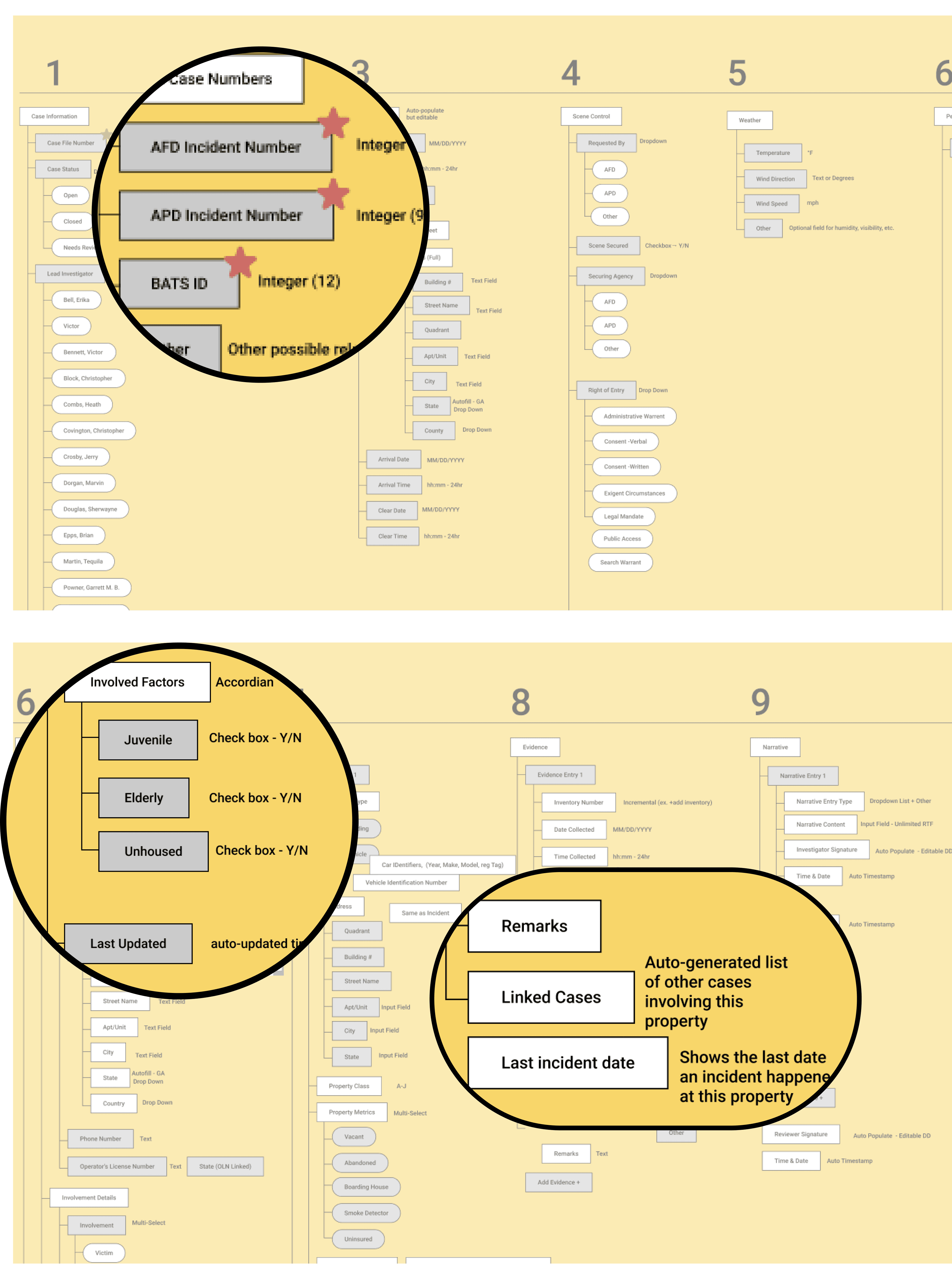
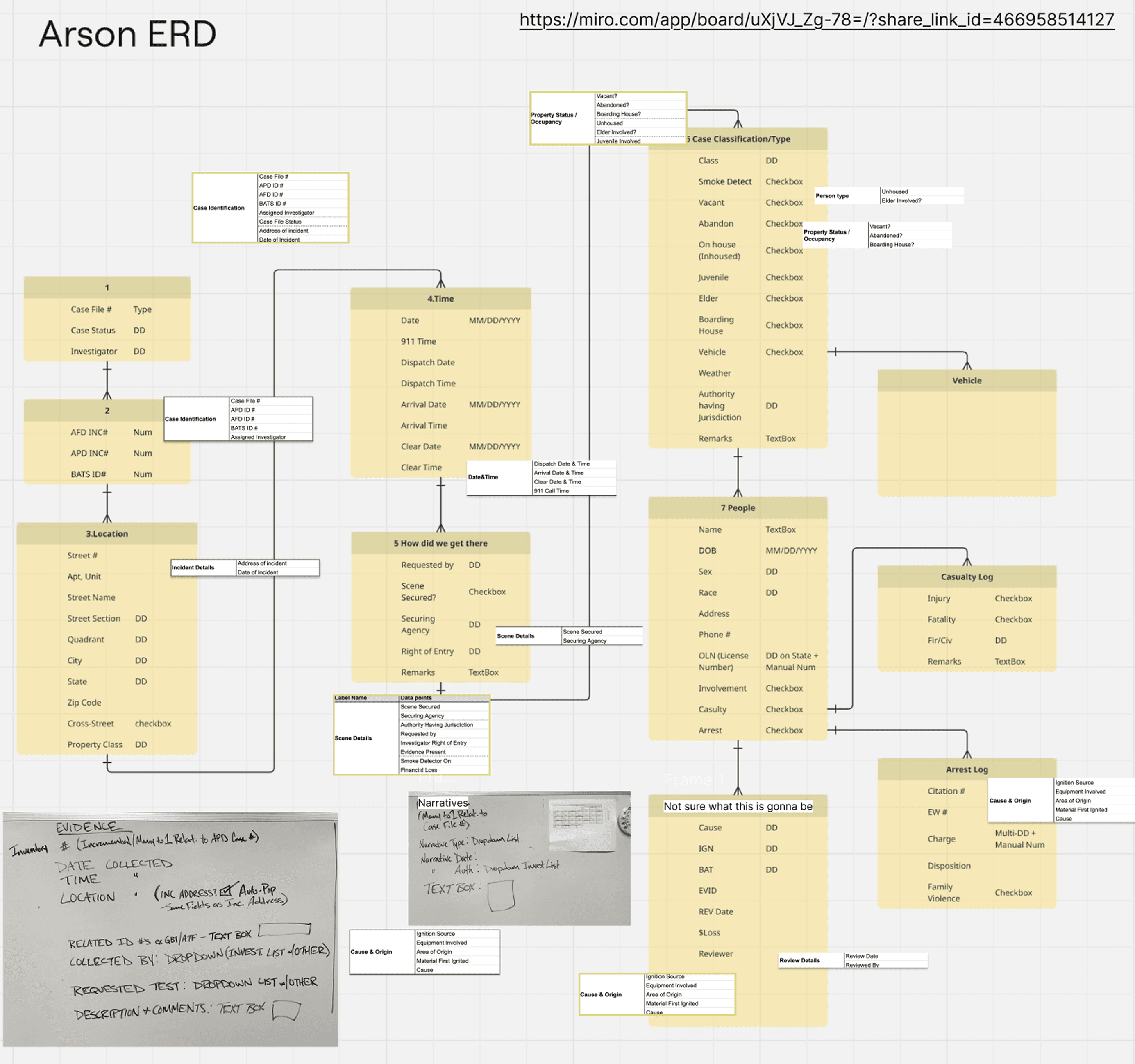
Before coming up concept sketches, we had to fix the underlying logic. We moved from flat data storage to a relational model and validated our navigation structure through quantitative testing with 50% of the unit.
Moving from flat files to relational data
The problem: existing excel workflow treated every case as an isolated flow
The solution: we created an Entity Relationship Diagram (ERD) to establish a relational database, then translated into a first draft Information Architecture (IA). This allows investigators to link entities across multiple incidents.
Validating the mental models
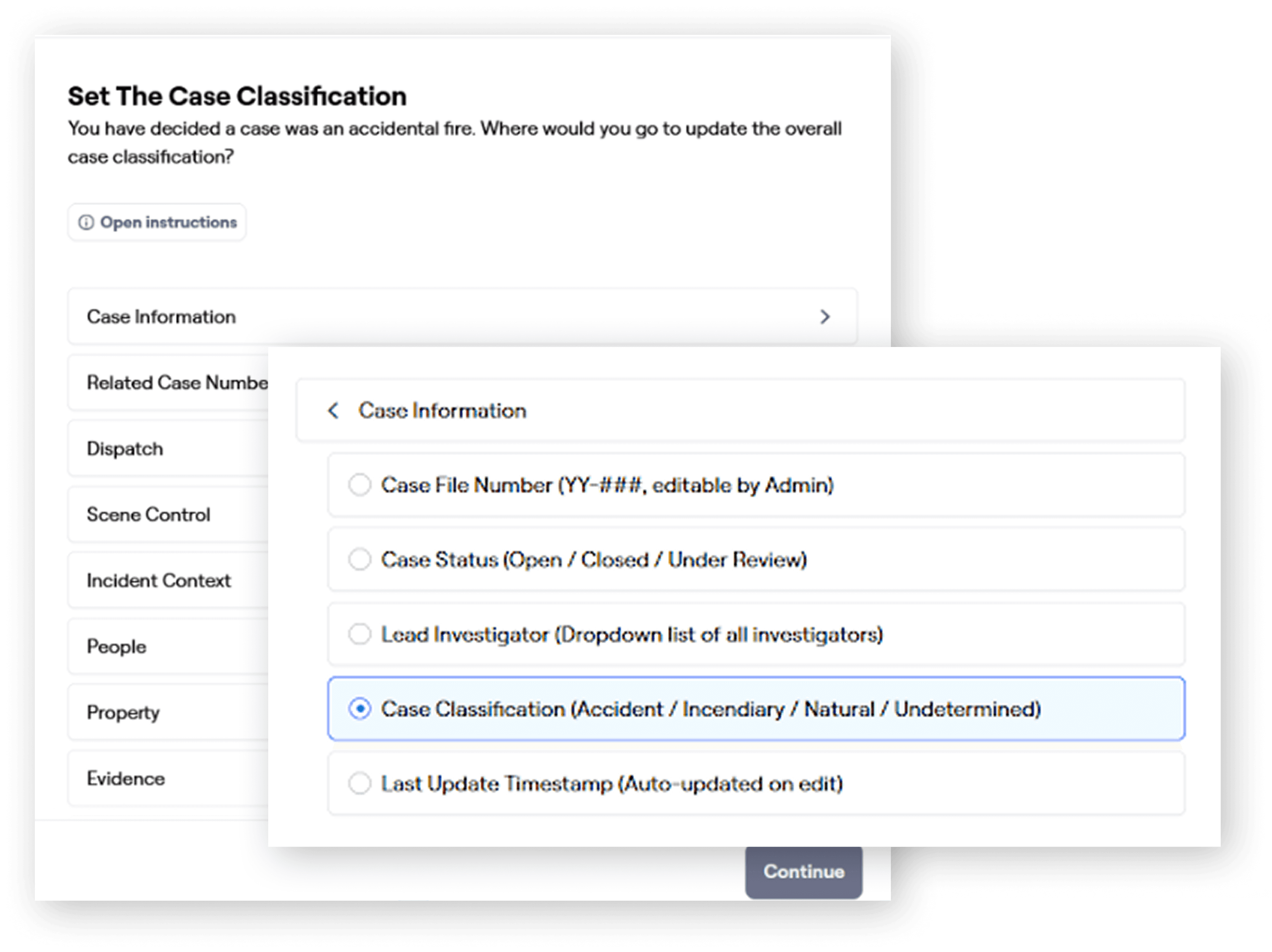
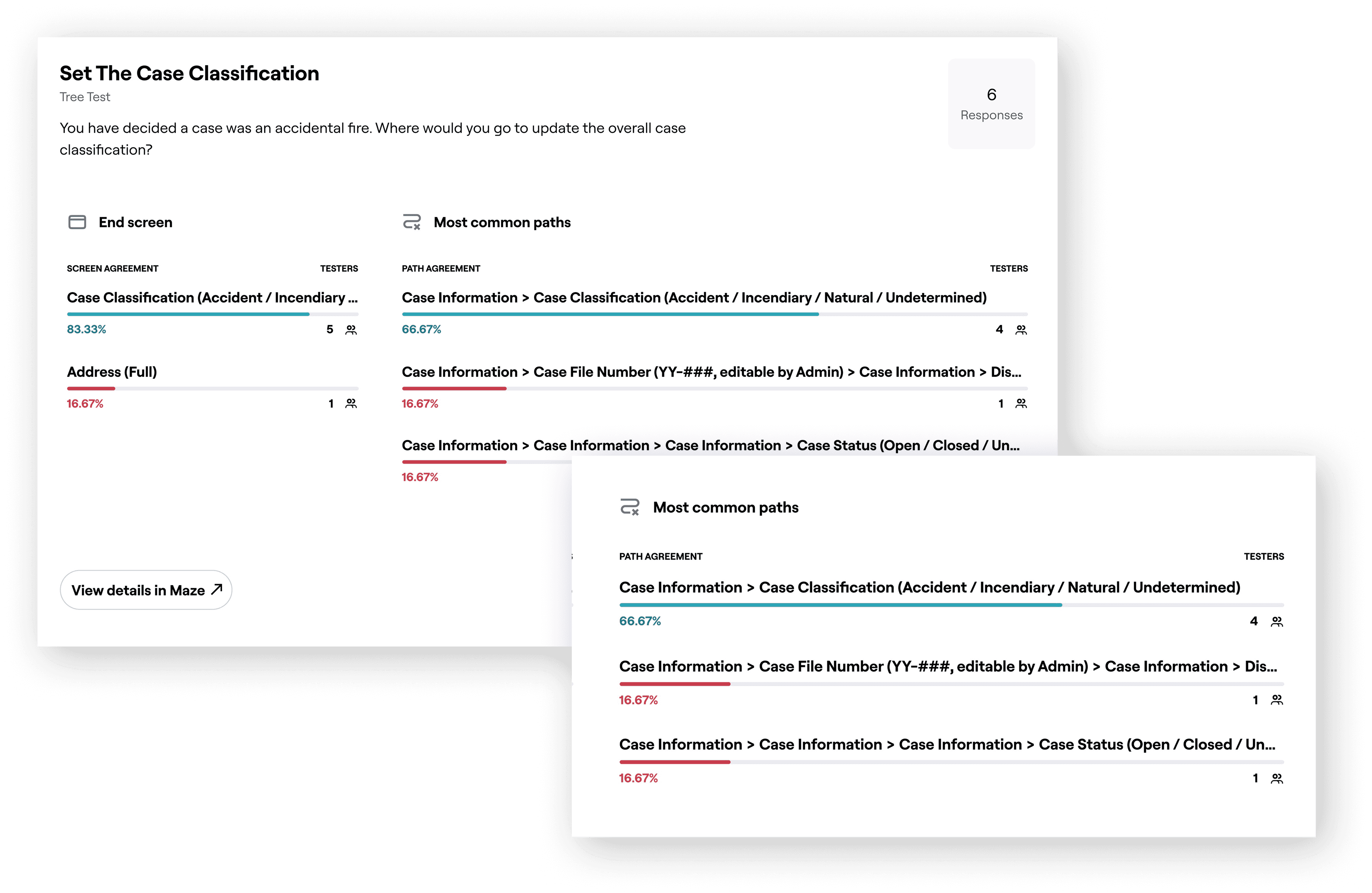
We conducted unmoderated tree tests using Maze with 7 out of 14 investigators to test if our new phase-based navigation worked.
We challenged users to perform 11 specific tasks, such as "Where would you go to add a new victim to the case file?"
Subject matter expert (SME) Feedback
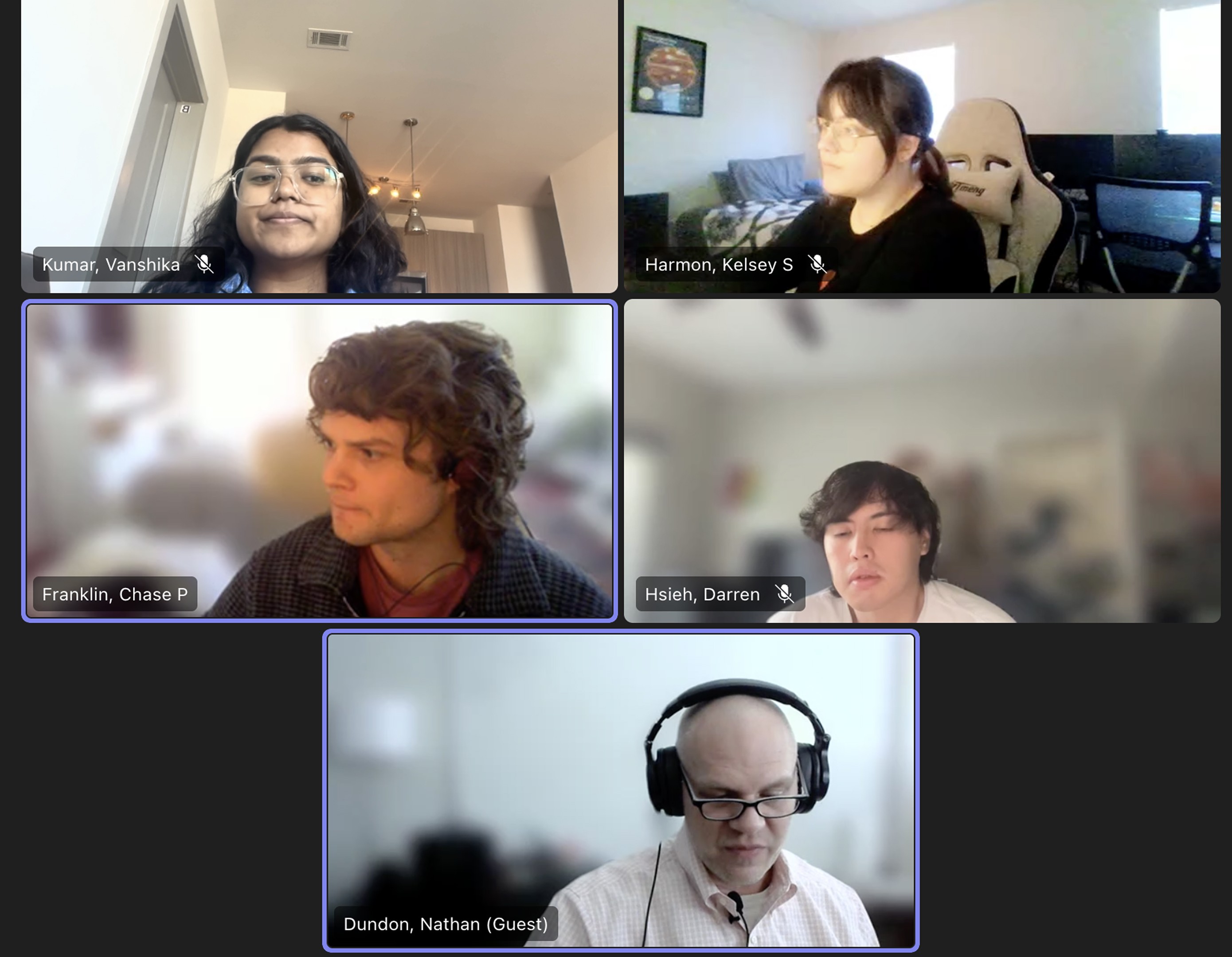
We sat down with a subject matter expert to go point-by-point to validate every structure and input fields.
We asked highly specific questions about the layout and clarify exact user workflow for case data entry.
Ideation
Visualizing the workflow
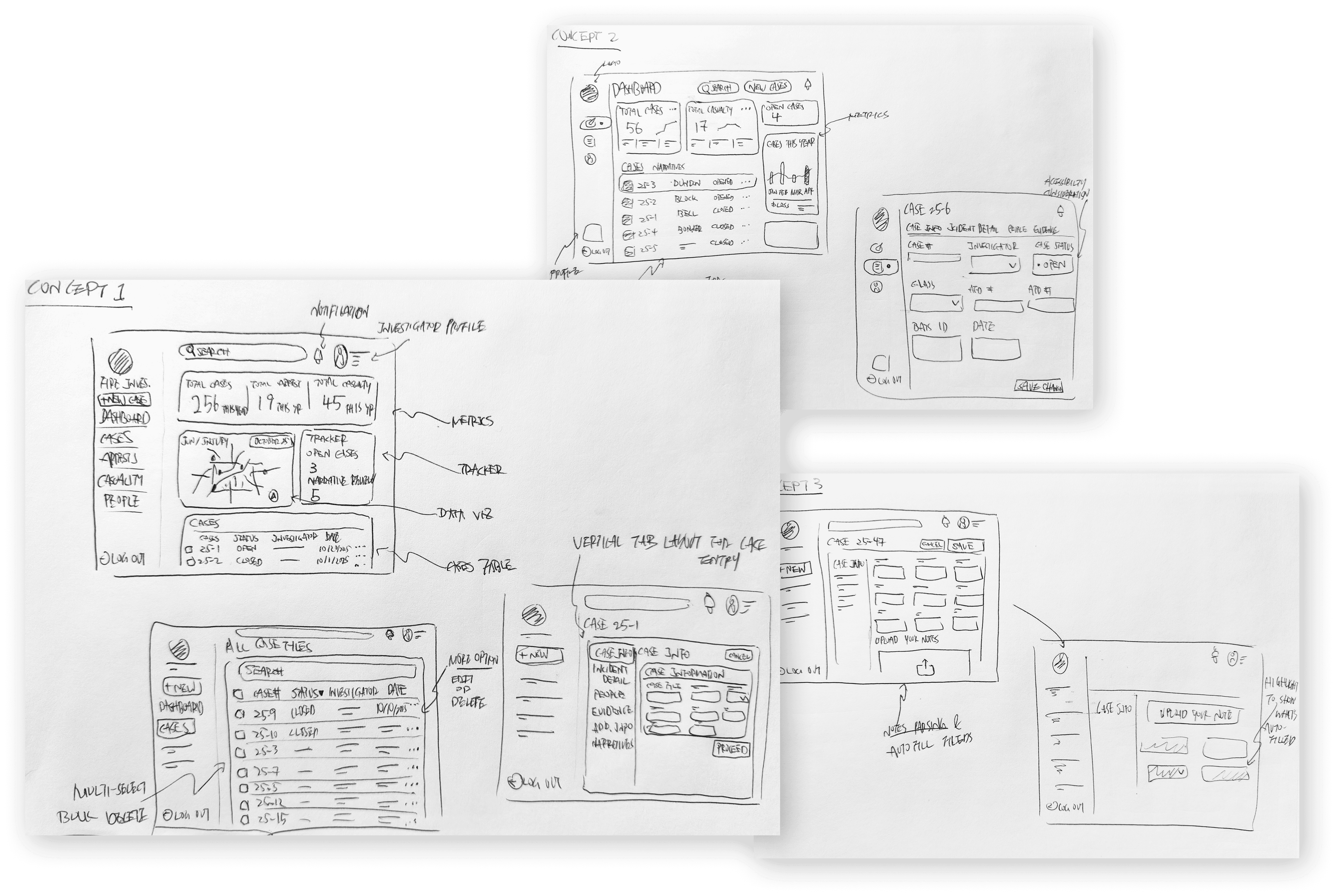
With the finalized IA, we moved into rapid visualization, using sketches and wireframes to test the flow.
From paper to AI
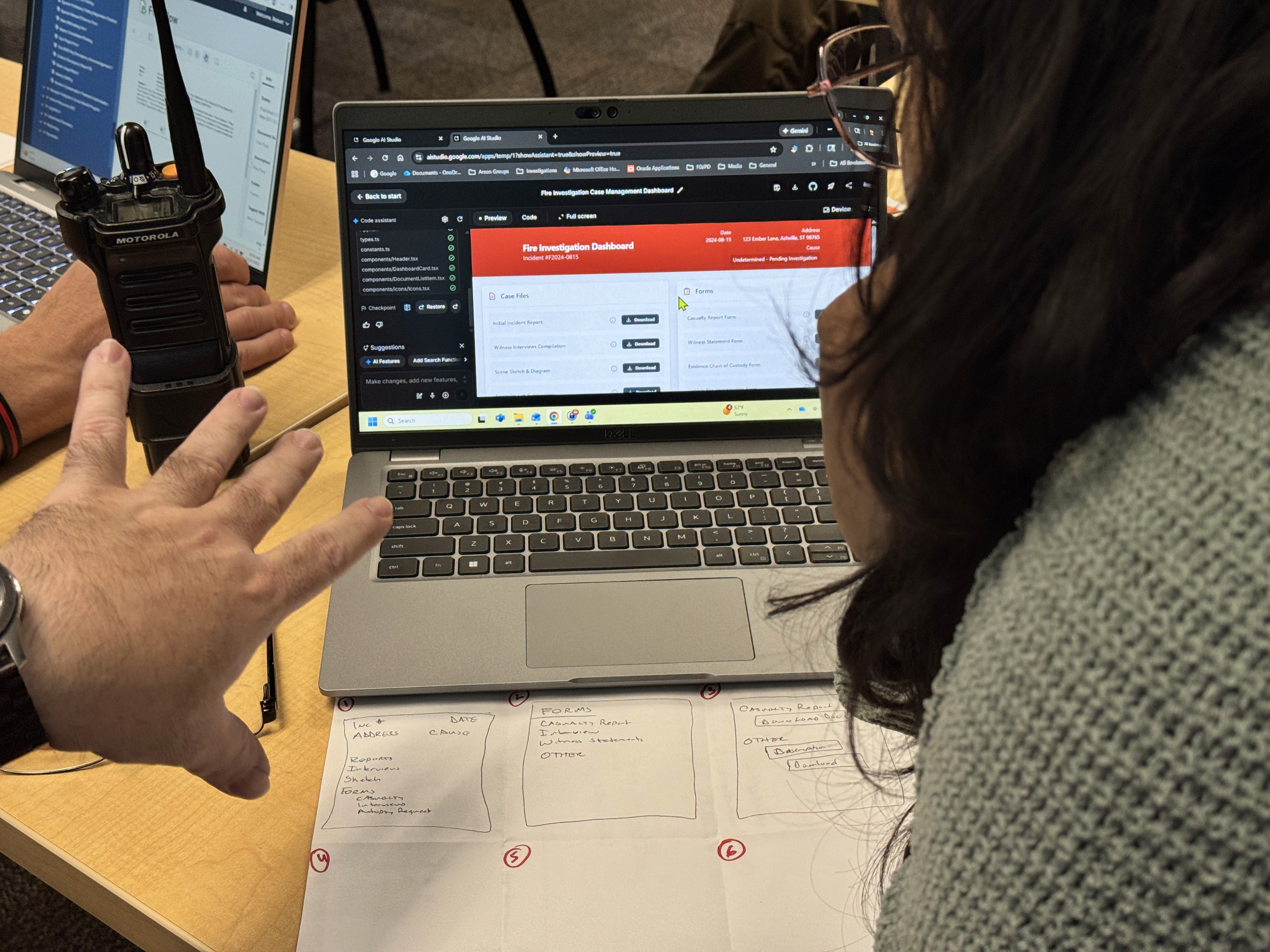
We utilized paper sketches, crazy 6 ideation, and Google AI Studio to explore different ways to visualize the complex platform.
Wireframing the workflow
Focus: creating a main management hub with list views and case entry directory.
Prototyping
Co-Design Workshop
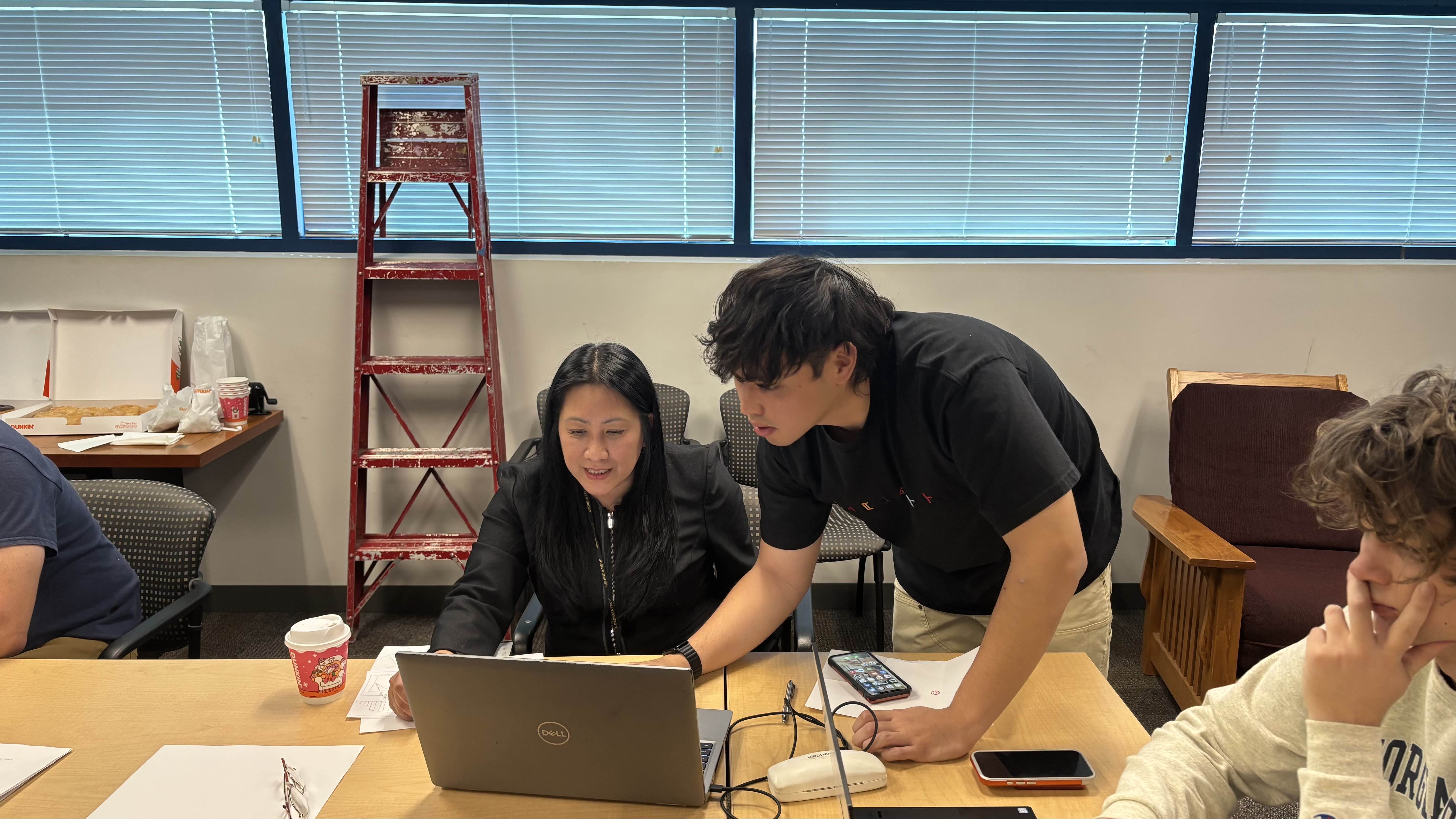
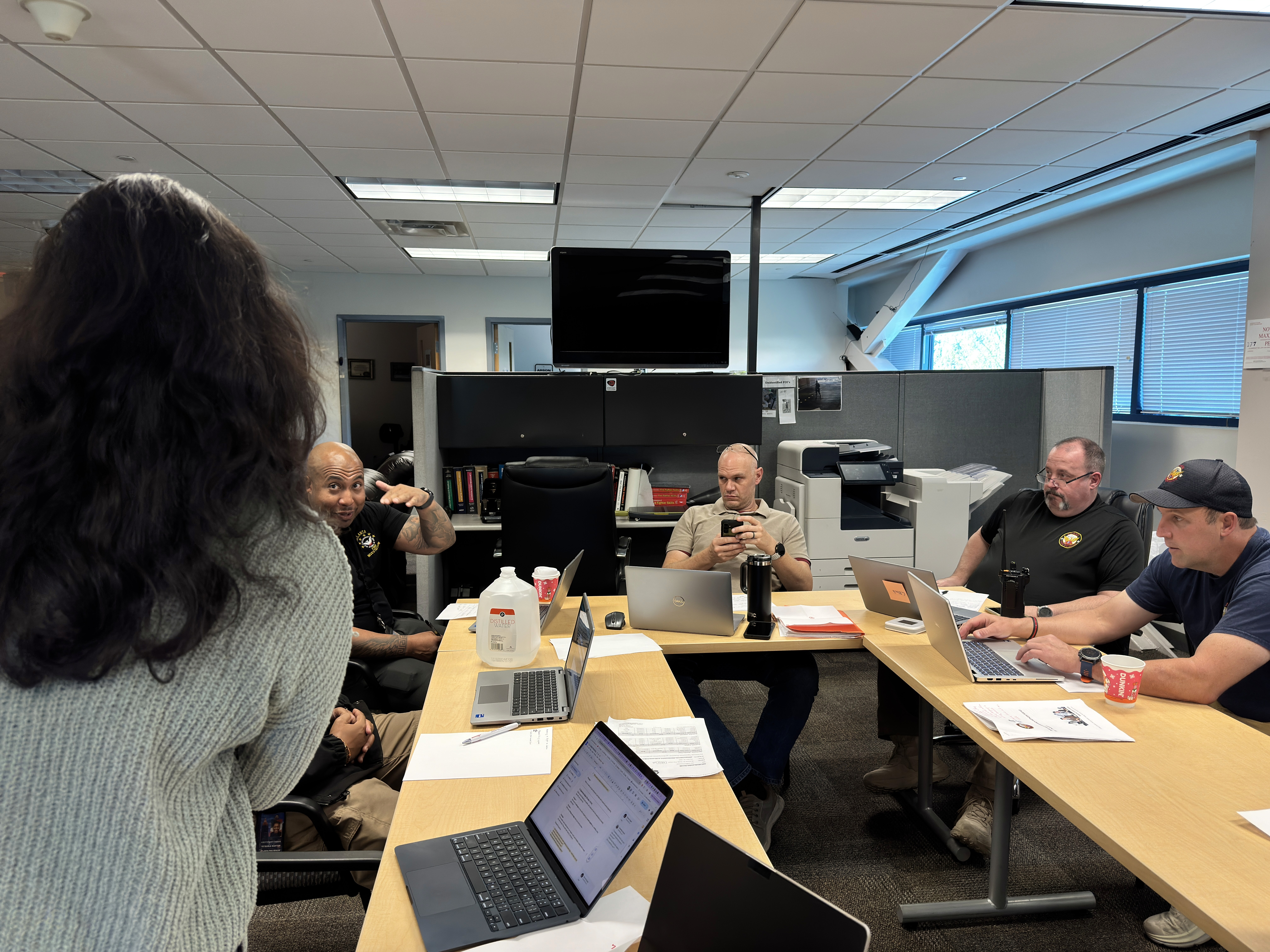
To align the final product more closely with the user’s expectations and give them a hands-on way to show us their real needs (something they could not fully express in conventional interviews), we ran a co-design workshop using crazy 6 ideation and Google AI Studio.
Prototyping
Final MVP
The high-fidelity prototype highlights key features that streamlines fire investigators workflow in this centralized platform for cases entry, management, tracking, and repository.
The First Case Management System for Fire Investigation Unit
Tasks Overview: A kanban tracker organizes open cases in different stages that match user’s mental model. A review requests column that displays narrative from other investigators’ cases that needs review by the user.
Case Creation: Allows user to easily recognize the button and start data entry.
Streamlined Data Entry
Sequential Data Entry: Guides users through a logical flow derived from our finalized IA to maximize efficiency, and reduce mental load and confusion
Auto-populated Information: API integration pulls live data directly from external databases (CAD, BATS, property tax records). This eliminates manual double-entry, ensures data consistency, and drastically reduces typing time
Data Validation Tracker: Displays required fields or error that needs to be added or fixed before submitting for review
People and Property Entry
The Accordion System: Consolidates complex sub-entries (People, Property, Evidence) into a single view using an accordion system, keeping the interface organized and scannable for complex case
Intuitive Sub-entries Overview: Once individual sub-entries are completed, users can quickly view the information without having to edit the entry
Conditional Entry Sections: Display relevant sections based of users’ selection to minimize mental load
Narrative Entry
Collaborative Workspace: Narrative entry undergoes peer-reviews after submission. This stage of data entry are opened for other investigator to add and admins to review.
Clear Role-Based Control: Role-based control is clearly defined here to ensure they cannot be modified by investigators not relevant to the specific case.
Unified Repository: This section allows to attach various forms that are relevant to building narrative on a case, helping users manage multiple reports at once.
Admin Oversight & Cases Review
Intuitive Flow for Admins: Admin users can easily trace the active investigations among investigators and review them if needed
Global Filters: Allows admin users to deep dive into individual user in specific date range
Proactive Review Management: The "Needs Attention" column automatically aggregates all peer-review requests into a prioritized list
Data Analytics
Data Visualization: Ensures investigators can quickly track important metrics like cases trend data, involved factor, and battalion wise case statistics to analyze patterns and inform prevention strategies
Exportable Report: One-click “Download Report” feature to share findings with external and internal stakeholders
AI-Assisted Query: Integrates co-pilot (supported within power-bi) to support on-demand insights beyond preset charts, enabling investigators search for specific data or detect analytical patterns
Admin Specific Metrics: Additional metrics are provided for admin users to track investigators work duration
Evaluation
Validating our MVP
Usability tests were conducted with three UX experts via heuristic evaluation to identify key usability issues, and four primary stakeholders via think-aloud protocol to gather qualitative insights by observing end users' behavior.
Heuristic Evaluation
4 UX experts in related field
UX Experts completed heuristic evaluations and evaluated different heuristic features.
Usability Test
4 primary user
Users were assigned with 11 tasks during think-aloud protocol.
Analysis
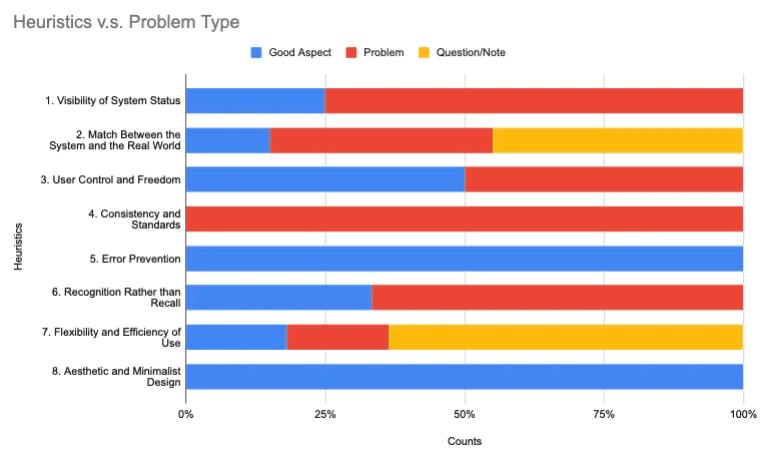
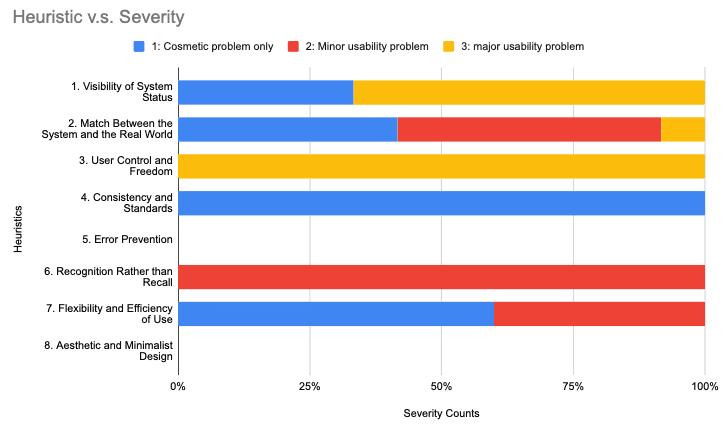
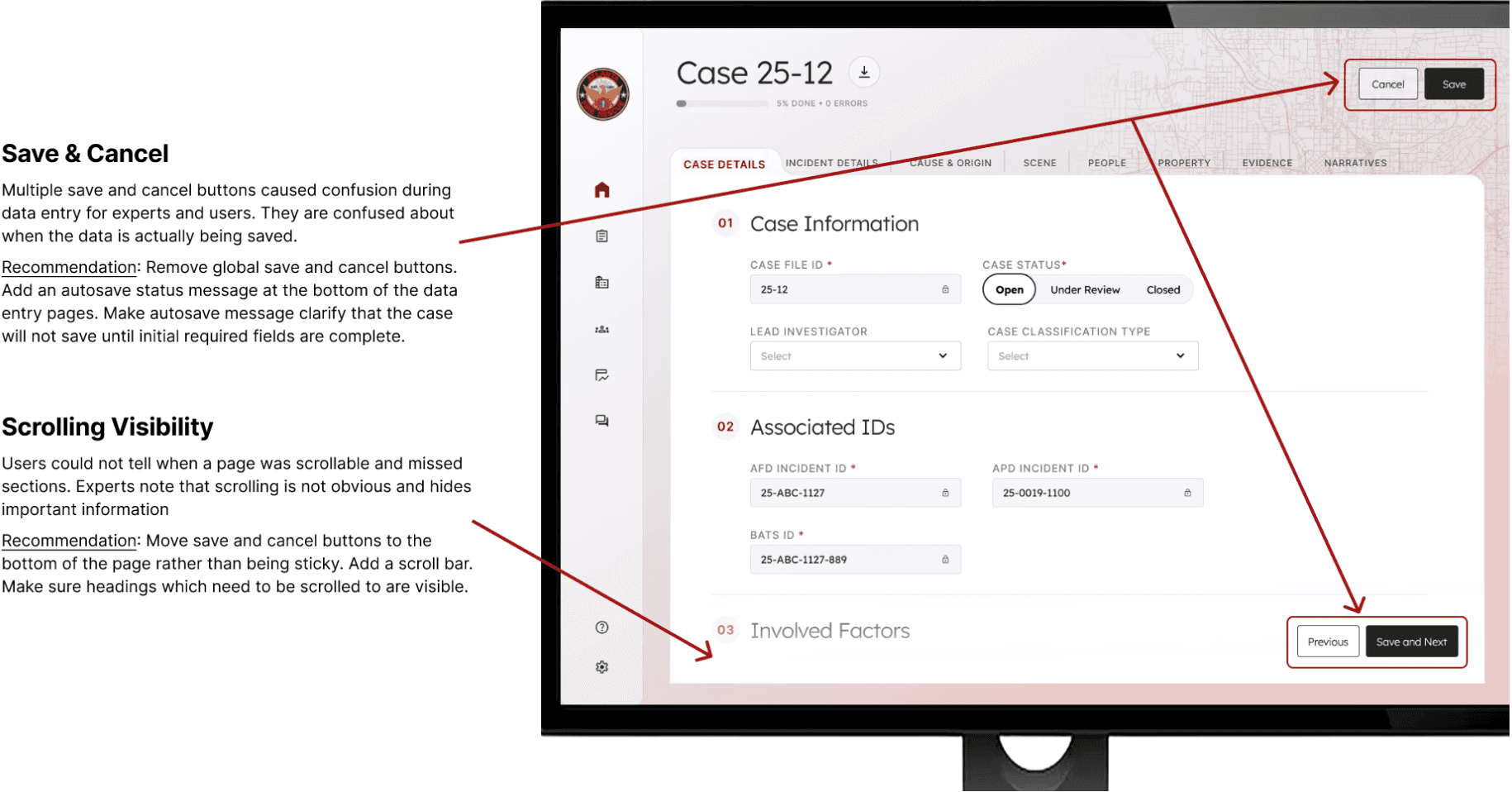
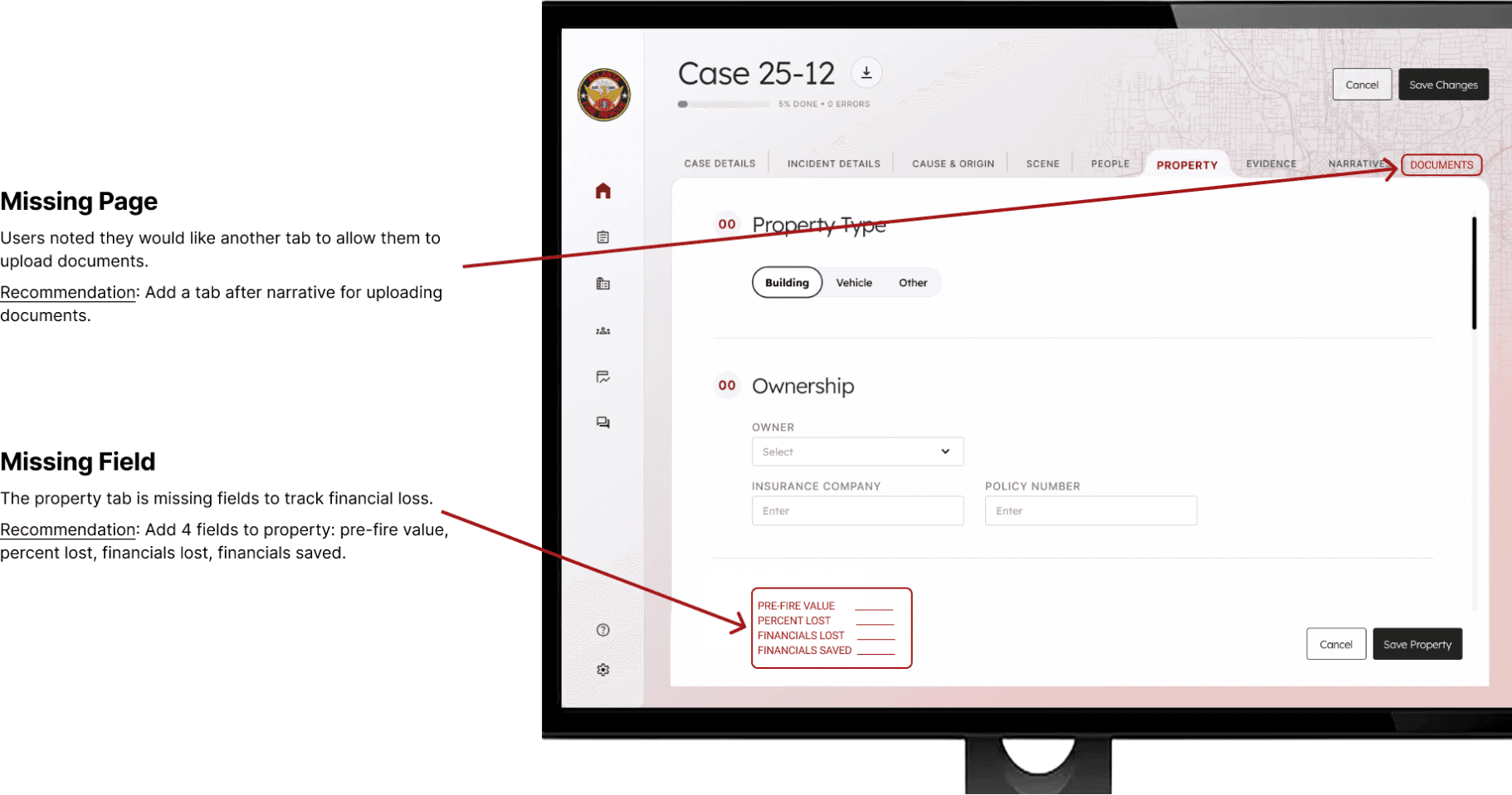
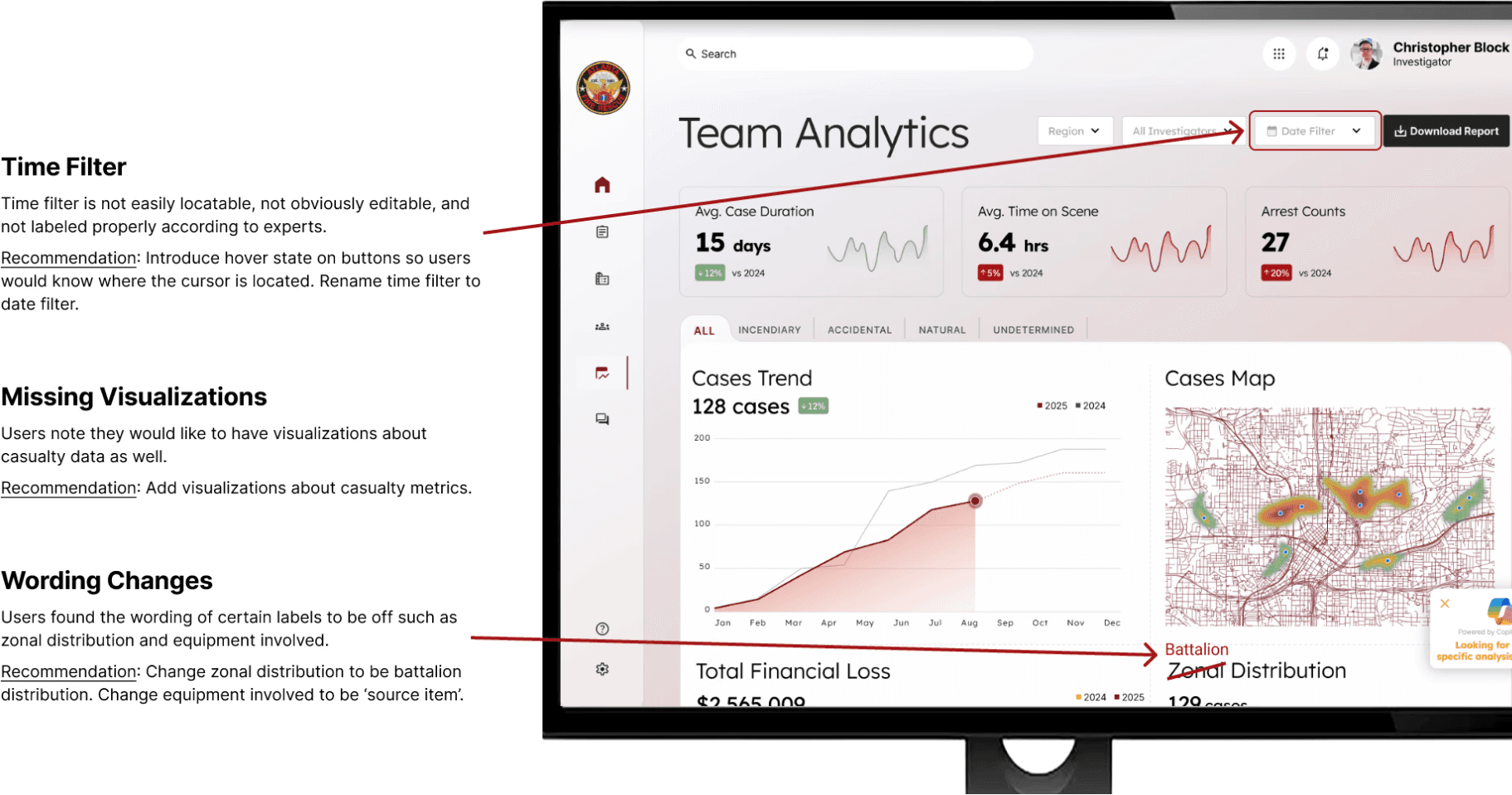
To analyze our findings, we organized heuristic evaluations by tasks and visualized the critical areas that we would prioritize on revising in different comparison metrics .
Key Findings
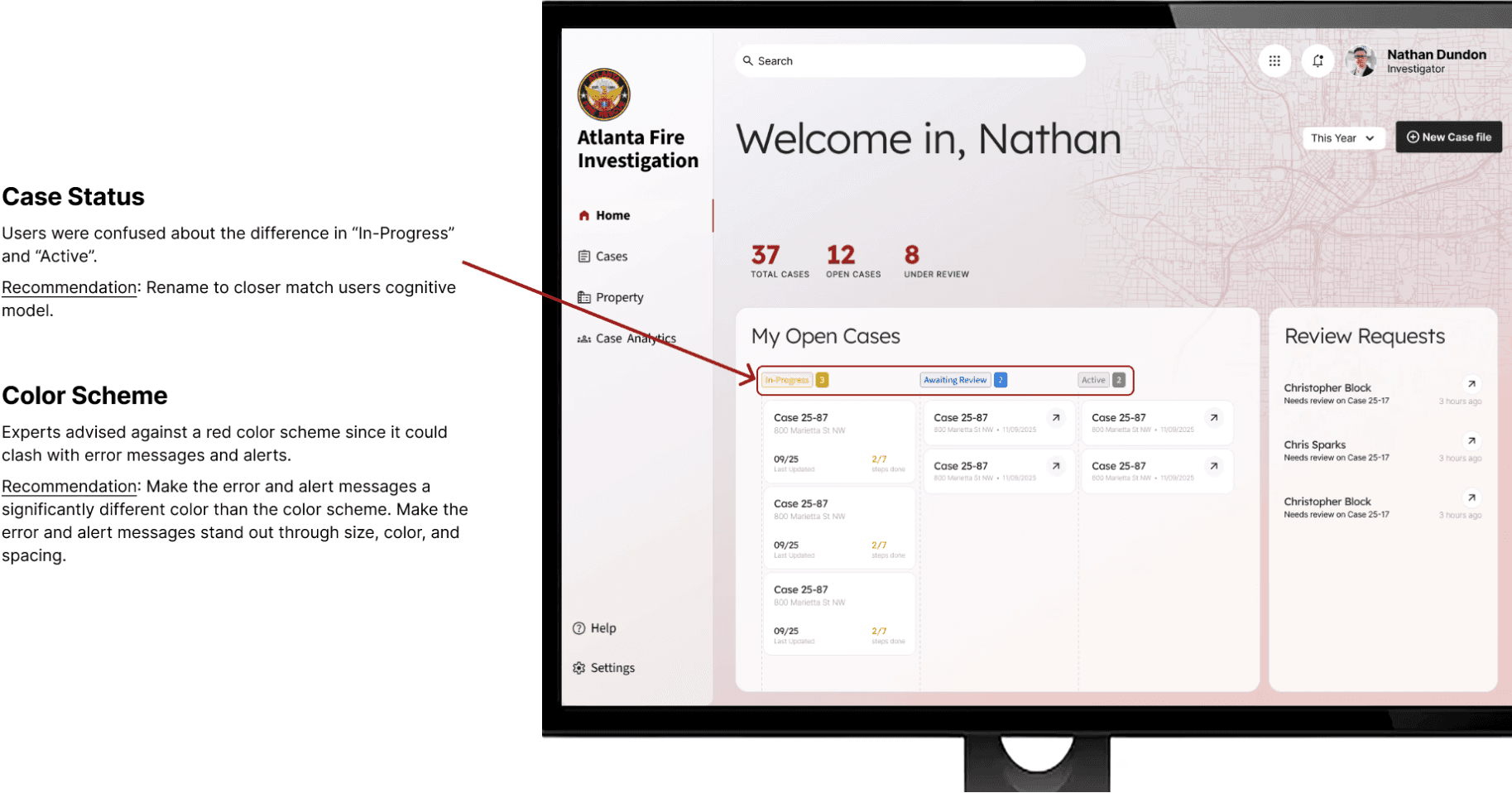
Based on the usability tests, we've organized the key findings below:
Evaluation
Our next step
The final prototype as of now was handed off to our client. Other functions are still building in progress and we are actively communicating with the software developers to seamlessly build out functional product from our hi-fidelity prototype.
01
Backend
02
Design System
03
Build Out Other Functions
Features such as the tabular list view for People and Property and the upload form functionality for the narratives and evidence tabs are missing and need to
be completed.
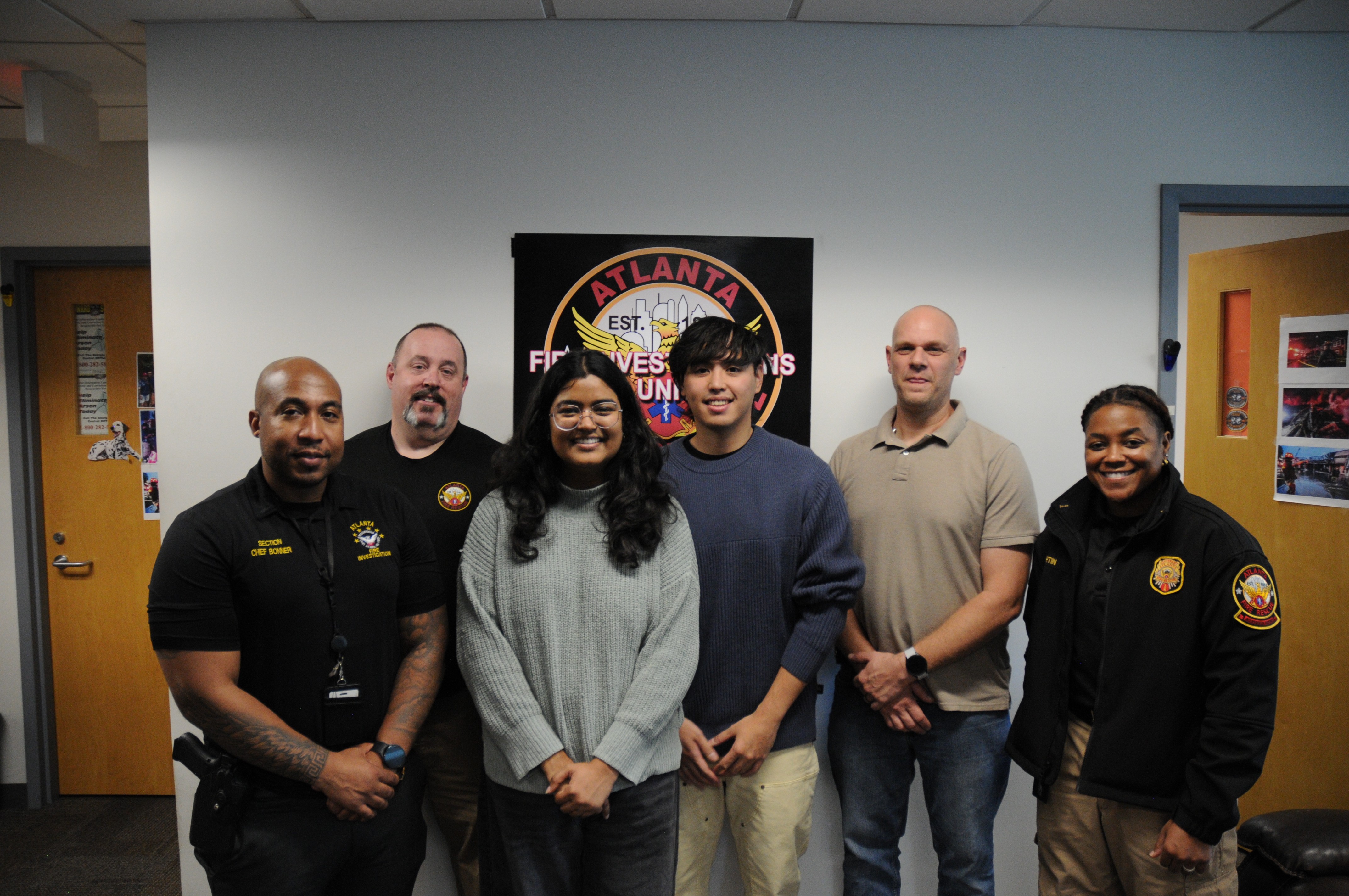
people who had been supporting along the journey
left to right: Lit. Bonner, Capt. Block, My Teammate Vanshika, Me, Capt. Dundon, Capt. Martin